
How to Export Revit to Navisworks (NWC)
Revit export NWC in one run: install the Navisworks exporter for your Revit version, tick the 3D views and let the free SnapSheets plugin write the NWC files. This guide explains where to find the exporter, the export settings and how to export Revit to Navisworks in any Revit version from 2019 to 2027. It follows the video on this page.
Watch on YouTube · 2:00 min · Revit 2026 · Updated Nov 2026
Guide
Export Revit to NWC, Step by Step
Six steps from the open model to a finished NWC file.
Before you start
- Revit 2019–2027 with your project open.
- The Navisworks NWC exporter that matches your Revit version, installed on your computer.
- The free SnapSheets plugin. Download SnapSheets and run the installer – no admin rights are needed.
- Install the Navisworks exporter
Revit can only write NWC files when the Navisworks NWC exporter from Autodesk is installed. SnapSheets uses that exporter, so install it first.
- Open SnapSheets and select the 3D views
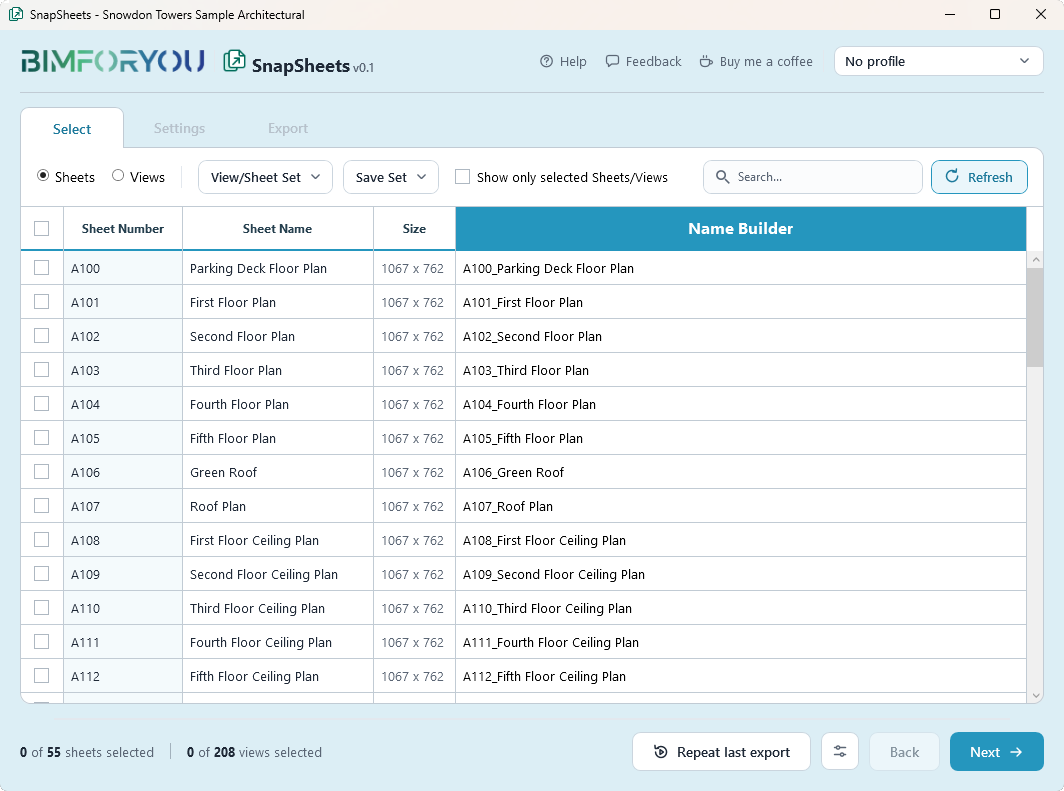
Click SnapSheets on the Bimforyou tab and tick the 3D views you want. You can also export the entire project.
- Build the file name
Open the Name Builder and compose the file name from Revit parameters.
- Choose NWC and the scope
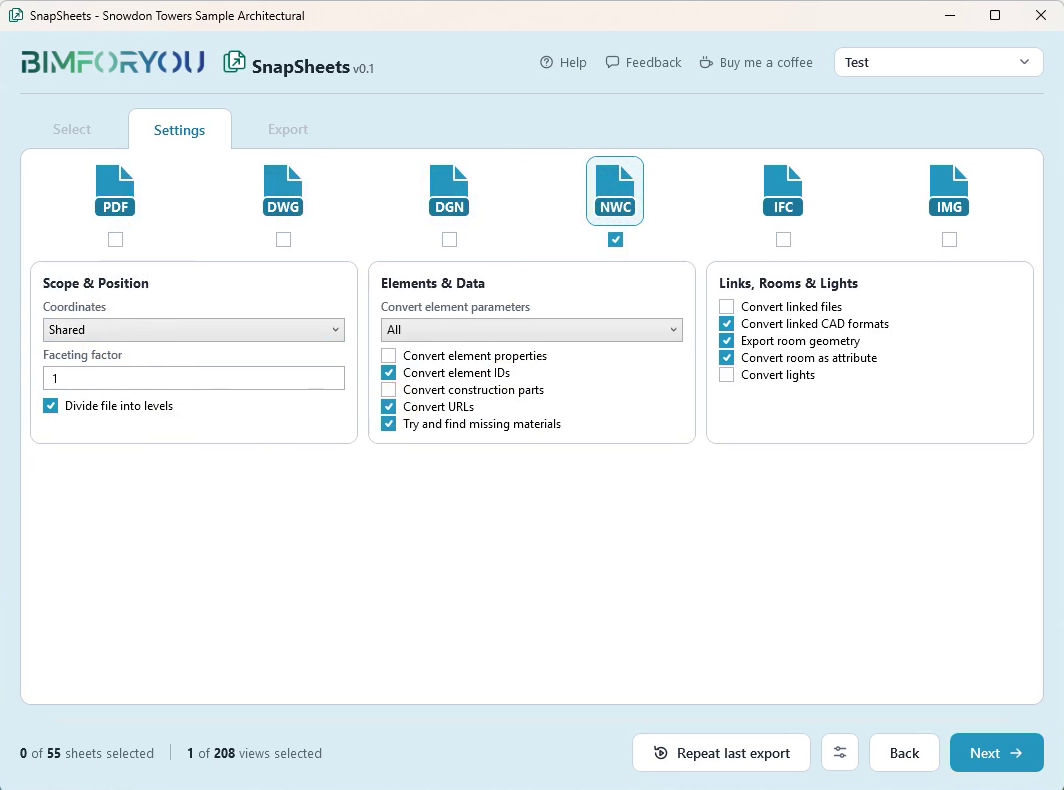
In Settings tick NWC. Choose Each selected 3D view or Entire project, the coordinates and the faceting factor.
- Choose what to convert
Decide which element parameters, properties, IDs and construction parts are converted, whether linked files, room geometry and lights are included, and whether the file is divided into levels.
- Export and open the file
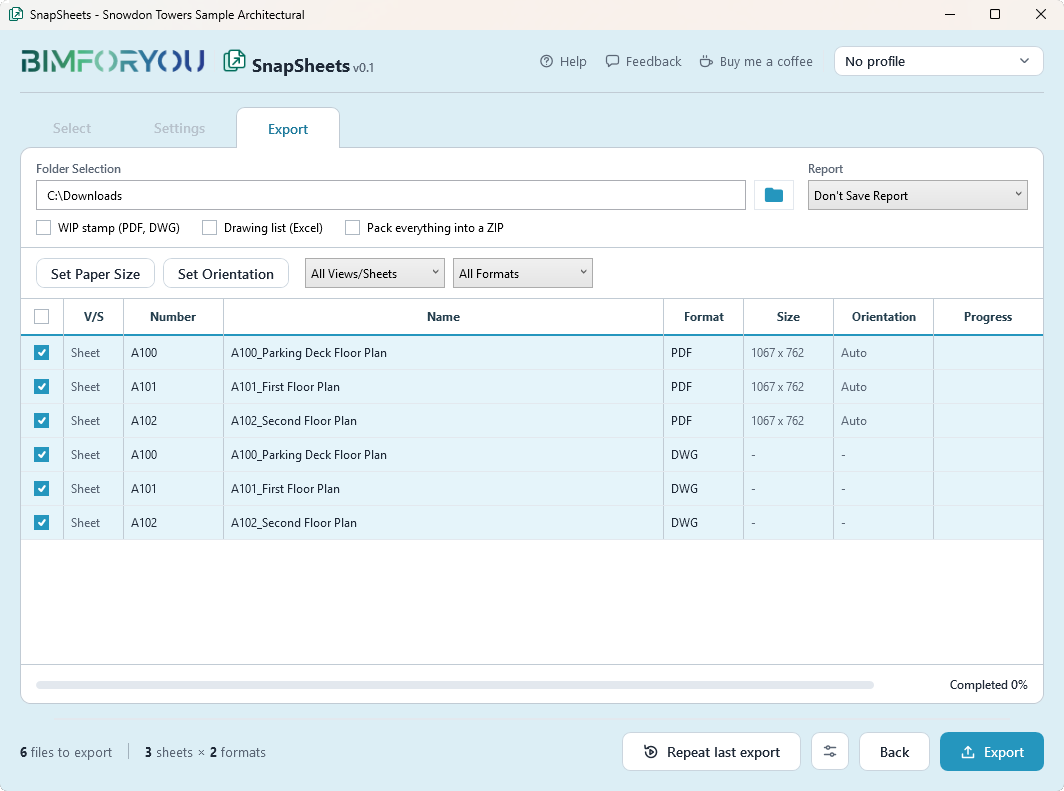
Pick the folder in the Export step and click Export. Open the NWC file in Navisworks to check it.
Where to find the Revit NWC exporter
Revit writes NWC files only when the Navisworks NWC exporter is installed for your Revit version. Autodesk provides the exporter with Navisworks and through the downloads in your Autodesk account; install the one that matches your Revit version, restart Revit and NWC becomes available. SnapSheets uses that exporter, so it cannot write NWC files without it.
How to export Navisworks from Revit 2019 to 2027
The steps are the same in every Revit version that SnapSheets supports, from 2019 to 2027: install the exporter that matches your version, select the 3D views, tick NWC and export. If NWC is not available, the exporter for that Revit version is the first thing to check.
Export several 3D views to NWC at once
Choose Each selected 3D view to get one NWC file per view, for example one per discipline or one per phase, or Entire project for one file of the whole model. You can also tick NWC next to other formats and export several formats at once.
Can I open an NWC file in Revit?
No. NWC is a Navisworks cache file. Open it in Navisworks to review, coordinate and run clash detection. If you need an open exchange format for other software, export Revit to IFC.
SnapSheets
What SnapSheets Adds
The tools around the NWC export that save time on every coordination round.
FAQ
Questions and Answers
Why is NWC not available in my Revit?
The Navisworks NWC exporter from Autodesk must be installed for your Revit version. Install it, restart Revit and NWC will be available in SnapSheets.
Can I export the whole project to one NWC?
Yes. Choose Entire project in the scope setting. Or choose Each selected 3D view to get one file per view.
Can I include linked models?
Yes. Turn on the option to convert linked files, and linked CAD formats if you need them.
Can I export NWC and other formats together?
Yes. Tick NWC with the other formats in Settings and export once. See the guide on exporting several formats at once.
How do I export Navisworks from Revit?
Install the Navisworks NWC exporter for your Revit version, open SnapSheets, tick the 3D views, tick NWC in Settings and export. The same steps work in every Revit version from 2019 to 2027.
Where can I find the Revit NWC exporter plugin?
Install the Navisworks exporter that matches your Revit version. Autodesk provides it with Navisworks and as a download in your Autodesk account. Restart Revit afterwards.
Is SnapSheets free?
Yes, including for commercial work. There is no account, no licence key and no export limit.
More guides
More Revit Export Guides
How to Export Revit 3D Views to FBX
One FBX file per 3D view, with level of detail options.
Read guide →How to Export Revit to Blender with Textures
One glTF file with the textures inside, ready for Blender.
Read guide →How to Export Revit to 3ds Max with Textures
OBJ with a texture folder and bump maps set up for 3ds Max.
Read guide →How to Export Revit Views and Sheets to Images
Set the pixel size and image quality for many sheets at once.
Read guide →Revit Export Formats: PDF, DWG and More at Once
Export the same sheets as PDF, DWG and DXF in one run.
Read guide →How to Export PDF from Revit: Many Sheets at Once
Combine sheets into one PDF or export a file per sheet.
Read guide →How to Export Revit to DWG (AutoCAD)
Use your DWG export setups and keep linked models as external references.
Read guide →How to Export Revit to IFC: Settings Explained
Choose the IFC version, the property sets and the level of detail.
Read guide →
SnapSheets: Free Revit Batch Export Plugin
All features, every export format and the free download in one place.
About SnapSheets →